需要清除缓存的常见场景:
| Scenario | Purge Type | Example |
|---|---|---|
| 内容更新 | 单个 URL | 更新博客文章 |
| 网站重新设计 | 清除所有缓存 | 部署新的 CSS/JS |
| 紧急修复 | URL 或标签 | 安全补丁 |
| 资源版本更改 | 清除前缀 | /assets/v2/* |
从缓存中移除特定 URL:
https://example.com/blog/post-1
https://example.com/images/hero.jpg
https://example.com/css/styles.css
最适合:单个内容更新、定向清除缓存
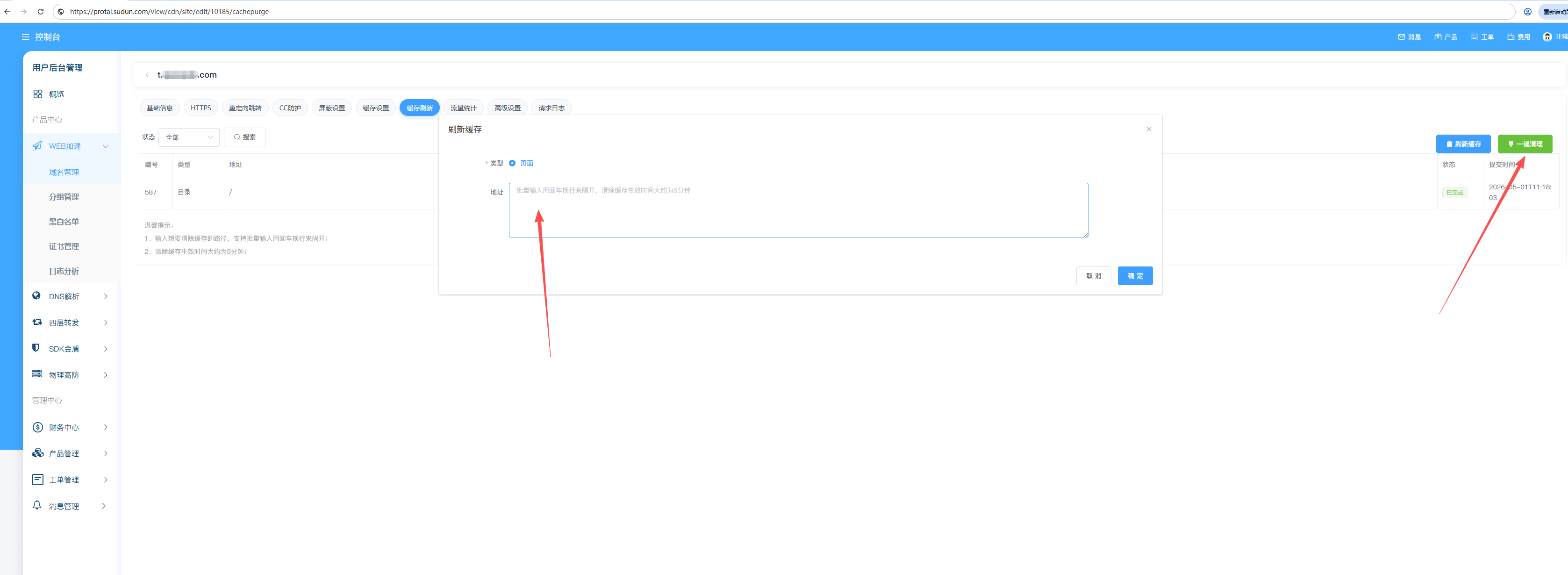
移除所有匹配特定路径前缀的 URL:
https://example.com/blog/*
https://example.com/images/*
https://example.com/api/v1/*
**最适合:版块更新、版本化资源部署
移除与标签关联的内容:
Tags: product-123, category-electronics, homepage
最适合:动态内容关系、CMS 集成
移除所有缓存域内容:
Domain: example.com
Action: Purge All
警告:清除所有内容会导致源服务器请求激增。请谨慎使用,最好在流量低谷期使用。
https://example.com/blog/)缓存标签允许基于内容的清除,而无需知道确切的 URL。
通过源站响应头添加标签:
Cache-Tag: product-123, category-shoes, homepage
或者在 Sudun 中配置:
{
  "cache_tags": {
    "rules": [
      {
        "match": { "path": "/products/*" },
        "tags": ["products", "catalog"]
      },
      {
        "match": { "path": "/blog/*" },
        "tags": ["blog", "content"]
      }
    ]
  }
}
# Purge all content with tag "product-123"
curl -X POST https://api.Sudun.com/v1/domains/example.com/purge \
  -H "Authorization: Bearer YOUR_API_KEY" \
  -H "Content-Type: application/json" \
  -d '{"tags": ["product-123"]}'
| Tag Type | Example | Use Case |
|---|---|---|
| Entity ID | product-123 | Purge when product updates |
| Category | category-electronics | Purge category pages |
| Content type | blog-posts | Purge all blog content |
| Template | template-homepage | Purge after template change |
发起清除后:
Purge Request → Sudun API → Global PoPs
                                  │
                          ┌───────┴───────┐
                          │               │
                     ~1-5 seconds    ~30 seconds
                     (most PoPs)     (all PoPs)
| Purge Type | Typical Propagation |
|---|---|
| Single URL | 1-5 seconds |
| Prefix | 5-15 seconds |
| Cache Tag | 5-15 seconds |
| Everything | 15-60 seconds |
立即从缓存中移除内容:
Cache State: MISS
Origin Request: Required
将内容标记为过期,但仍保留可用:
Cache State: STALE
Origin Request: Background revalidation
软清除的优势:
# 通过 API 进行软清除
curl -X POST https://api.Sudun.com/v1/domains/example.com/purge \
  -H "Authorization: Bearer YOUR_API_KEY" \
  -d '{"urls": ["https://example.com/page"], "soft": true}'
从您的 CMS 或部署管道触发清除操作:
# WordPress example: purge on post update
curl -X POST https://api.Sudun.com/v1/domains/example.com/purge \
  -H "Authorization: Bearer YOUR_API_KEY" \
  -d '{"tags": ["post-${POST_ID}"]}'
部署后清除缓存:
# GitHub Actions example
- name: Purge CDN Cache
  run: |
    curl -X POST https://api.Sudun.com/v1/domains/$DOMAIN/purge \
      -H "Authorization: Bearer $YESudunPI_KEY" \
      -d '{"prefix": "https://$DOMAIN/assets/"}'
Need help with cache purging? Contact admin@jindundun.com
