Prerequisites
Before adding a domain name, make sure you have:
- Permissions to operate the DNS management panel for domain names
- Register panel access for your Sudun account
- The domain name is not configured with another CDN provider (or is ready to migrate)
Step 1: Go to Domain Name Management
- Log in to Sudun to register the Sudun console: https://protal.sudun.com/view/register
- Click WEB Acceleration in the left navigation bar
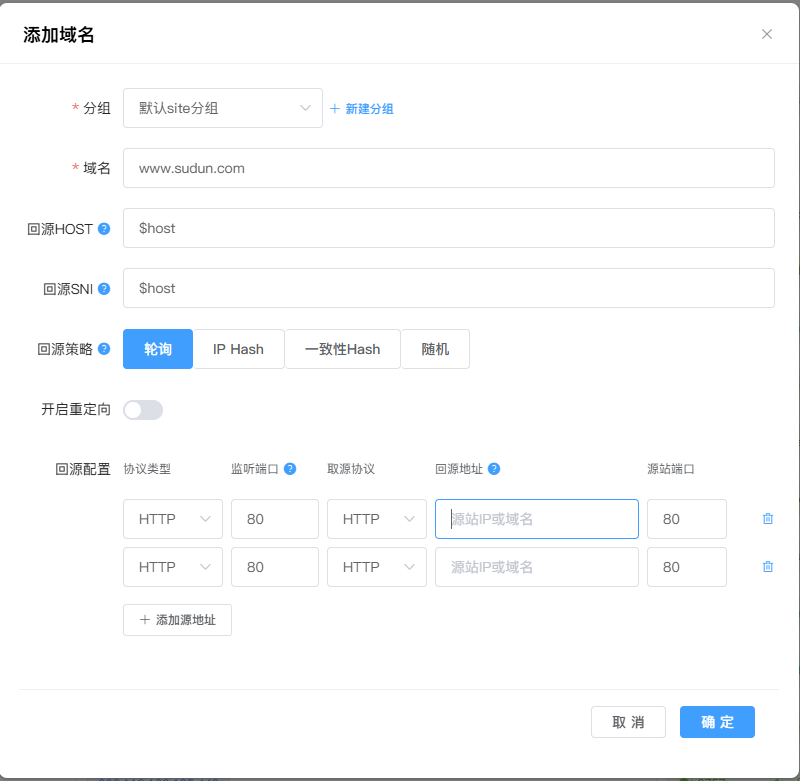
- Click the Add Domain Name button in the top right corner
Step 2: Fill in the domain name information
Fill in your domain name in the input box. The following formats are supported:
| format | Example | Description |
|---|
| Root domain | example.com | Protect your primary domain |
| Subdomains | www.example.com | Protect specific subdomains |
| Wildcard symbol | *.example.com | Protect all subdomains |
Note: Adding a root domain name does not automatically protect the subdomain. Add each subdomain individually or use a wildcard configuration.
Step 3: Select a service package
Click on Product Management on the left to purchase the product. Choose the right service package for your domain name:
- Standard: Basic CDN acceleration and DDoS protection
- Premium: Advanced caching rules, WAF, and priority support
- Extreme Edition: Custom configurations, dedicated support, and SLA guarantees
Acceleration zones
Choose acceleration zones based on your target audience:
┌─────────────────────────────────────────┐
│ 全球加速 - 所有区域 │ │ 亚太地区 - 仅亚太节点 │ │ 北美地区 - 仅北美节点 │ │ 欧洲地区 - 仅欧洲节点 │ │ 自定义区域 - 选择特定接入点 │ └─────────────────────────────────────────┘
Protocol support
Select a supported protocol:
- HTTP only: Not recommended for production environments
- HTTPS only: Recommended for security
- HTTP vs. HTTPS: Both protocols are supported
Step 5: Complete the setup
After successful addition:
- View the list of domain name configurations
- You'll see the CNAME record used to point the domain name to Sundun